Small Business Website · November 16, 2026 · 6 min
What Pages Does a Small Business Website Need?
The handful of pages a small business website actually needs, what goes on each one, and which pages you can skip until later.
When you plan a website, it's easy to get stuck. Do you need a blog? A careers page? A page for every service?
For most local small businesses, the honest answer is: fewer pages than you think, but each one has a clear job. A small site where every page answers a real customer question beats a big site full of filler that nobody reads and you never update.
Here's a practical breakdown of the pages most small businesses need, what belongs on each one, and what you can safely leave for later.
Start with the questions customers actually ask
Before you list pages, list questions. Someone landing on your site, usually from their phone, is trying to figure out a few things fast:
- Do you do the thing I need?
- Do you serve my area, or are you near me?
- Can I trust you?
- Roughly what will it cost, or how does pricing work?
- How do I book, call, order, or get a quote right now?
If a page doesn't help answer one of those, it's probably optional.
1. Home page
Your home page is the front door. It doesn't need to say everything. It needs to say the most important things in the first screen on a phone:
- What you do and where, in plain words. "Residential house cleaning in Orlando and Winter Park" is better than "Excellence in every detail."
- One main action. Call, book online, request a quote, or order. Pick the one that matters most and make it a big, obvious button.
- A quick trust signal. A few real reviews, how long you've been in business, licensing if it applies to your trade, or photos of your actual work.
- Short links to your main services so people can go deeper.
If someone only sees your home page and leaves, they should still know what you do, where you do it, and how to reach you.
2. Services page (or a few service pages)
This is where many small business sites fall short. A single line like "We offer plumbing, drain cleaning, and water heaters" doesn't give Google or customers much to work with.
A good rule of thumb:
- If you offer a few closely related services, one services page with a clear section for each is fine.
- If you have distinct services that people search for separately (for example, "water heater replacement" vs. "drain cleaning"), give each its own page. That gives each one a better chance of showing up when someone searches for that exact thing.
On each service section or page, cover what the service includes, who it's for, what the process looks like, and what to do next. If your pricing varies, simply explaining how it works still builds trust.
3. About page
People hire people, especially for local services. Your about page doesn't need to be long. It should cover:
- Who runs the business, ideally with a real photo
- How long you've been doing this work
- Your service area
- Any licenses, insurance, or certifications that matter in your field
- Why customers choose you, in your own words
4. Contact page
This sounds obvious, but a lot of sites bury contact info or make it hard to use on a phone. Your contact page should have:
- A tap-to-call phone number
- A short form (name, phone or email, what they need), not a 15-field questionnaire
- Your address, or your service area if you go to customers
- Business hours
- A map embed if you have a storefront
Also put your phone number and main button in the header or footer of every page, so people never have to hunt for the contact page at all.
5. Reviews or testimonials
You can make this its own page or a strong section on the home page. Either way, use real reviews from real customers, ideally with first names and the service they got. Linking to your Google reviews is a good move too, since people already trust that source.
Just starting out? Keep this section small and focus on collecting reviews from your first customers. Never make reviews up.
6. Pricing page (if it fits your business)
Not every business can list prices, but if yours can, a pricing page is often one of the most visited pages on a site. People want to know if you're in their range before they reach out.
If your work is custom, explain what affects the cost, whether estimates are free, and what a typical project includes. That filters out bad-fit leads and gives good-fit customers confidence to call.
7. Gallery or portfolio (for visual businesses)
If your work is visual (landscaping, remodeling, cleaning, salons, bakeries, detailing), real before-and-after photos can do more selling than any paragraph. Organize them by job type and keep them sized so the page loads fast.
Pages you can usually skip (for now)
Some pages sound important but aren't needed on day one:
- Blog. A blog can help with search traffic over time, but only if you'll actually post useful articles. An empty blog with two posts from three years ago looks worse than no blog at all.
- Careers page. Only add it when you're actively hiring.
- FAQ page. Helpful, but you can start by putting a few common questions at the bottom of your services or home page.
- Location pages for every nearby town. Thin, copy-paste pages for each city rarely help and can hurt. If you truly serve a few distinct areas, a single service-area section listing them is usually enough to start.
Don't forget the pages that aren't really "pages"
A few behind-the-scenes things matter just as much as the visible pages:
- Privacy policy, especially if you have a contact form
- Mobile-friendly layout, since many local customers find you on their phone
- A connected Google Business Profile that links back to your site. If you're wondering how those two work together, read Do I Need a Website If I Have a Google Business Profile?
- Basic on-page SEO: a clear page title and description for each page, so Google knows what each one is about
A simple starter structure
If you want a quick template, this works for a lot of local businesses:
- Home
- Services (one page, or one per main service)
- About
- Reviews (section or page)
- Pricing or "How pricing works" (if it fits)
- Gallery (if your work is visual)
- Contact
- Privacy policy
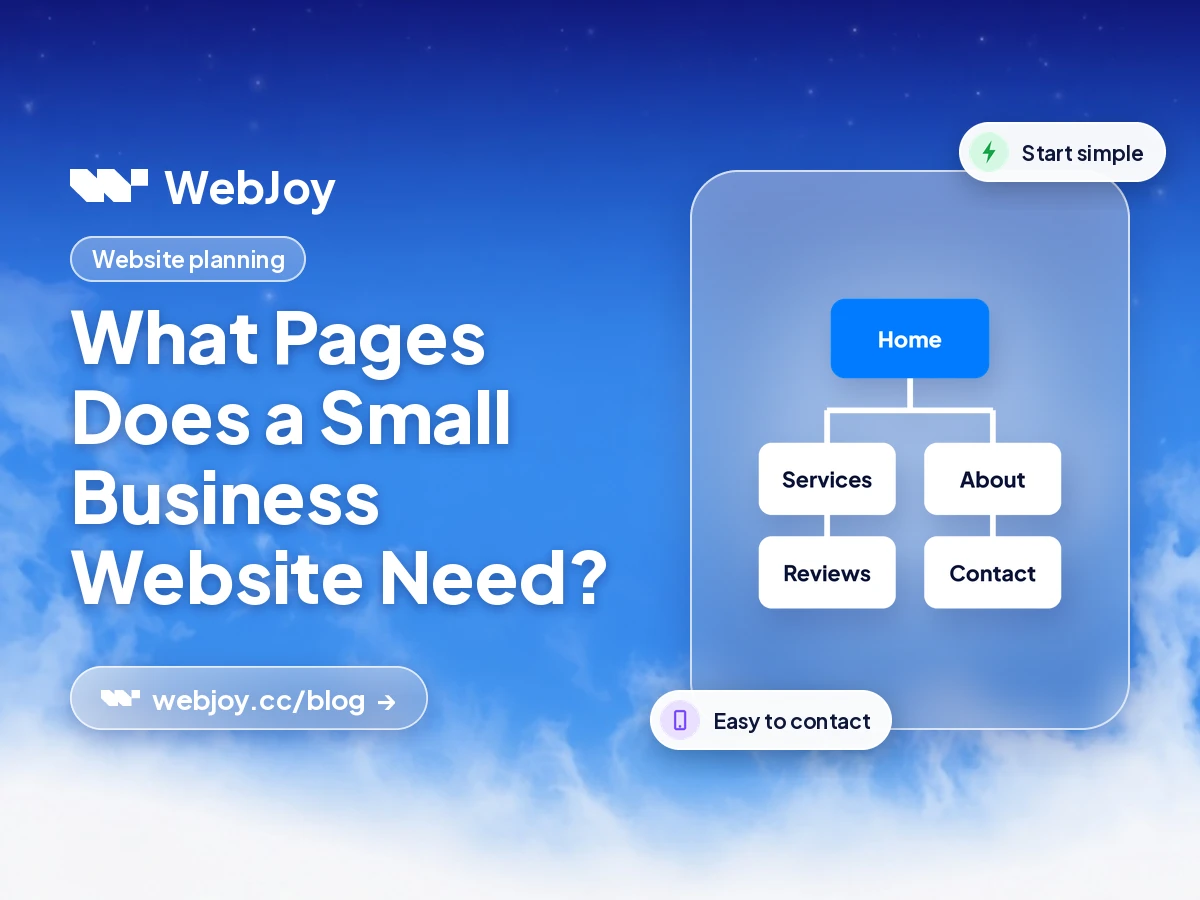
That's it. Five to eight pages, each with a clear job. You can add more as your business grows and as you learn what customers keep asking about.
Ready to get started?
If you'd rather not figure out the structure and writing yourself, WebJoy builds simple, fast sites for small businesses with these pages set up from the start. Compare plans on our pricing page, get started, message us on Facebook, or email hello@webjoy.cc.
Frequently asked questions
How many pages should a small business website have?
Most local small businesses do well with about five to eight pages: home, services, about, reviews, contact, and optionally pricing and a gallery. More pages only help if each one answers a real customer question.
Can I just use a one-page website?
It can work for very simple businesses with one main offer. The trade-off is that it's harder to show up in search for several services when everything lives on one page.
Do I need a separate page for every service?
Not always. If people search for your services separately and each one is a meaningful part of your business, separate pages usually help. If your services are small variations of the same thing, one well-organized page is fine.
Should I add a blog?
Only if you'll keep it up. A few helpful posts answering customer questions can bring in search traffic over time.
What's the most important page?
For most local businesses it's the home page, because it's where most visitors land first. But your contact path matters most of all: if people can't easily call, book, or request a quote from any page, the rest of the site can't do its job.
Want more customers finding you online?
Plans start at $35/mo, and your first design is ready in 48 hours.